A disciplined, multi-bot trading system designed to remove emotion and execute with consistency,
risk control, and transparency.
No signals. No hype. Just real execution.
Weekly performance. Real trades. No filters.
Follow the Live Engine βOC9 is a multi-bot automated trading engine built specifically to operate through the Kraken exchange.
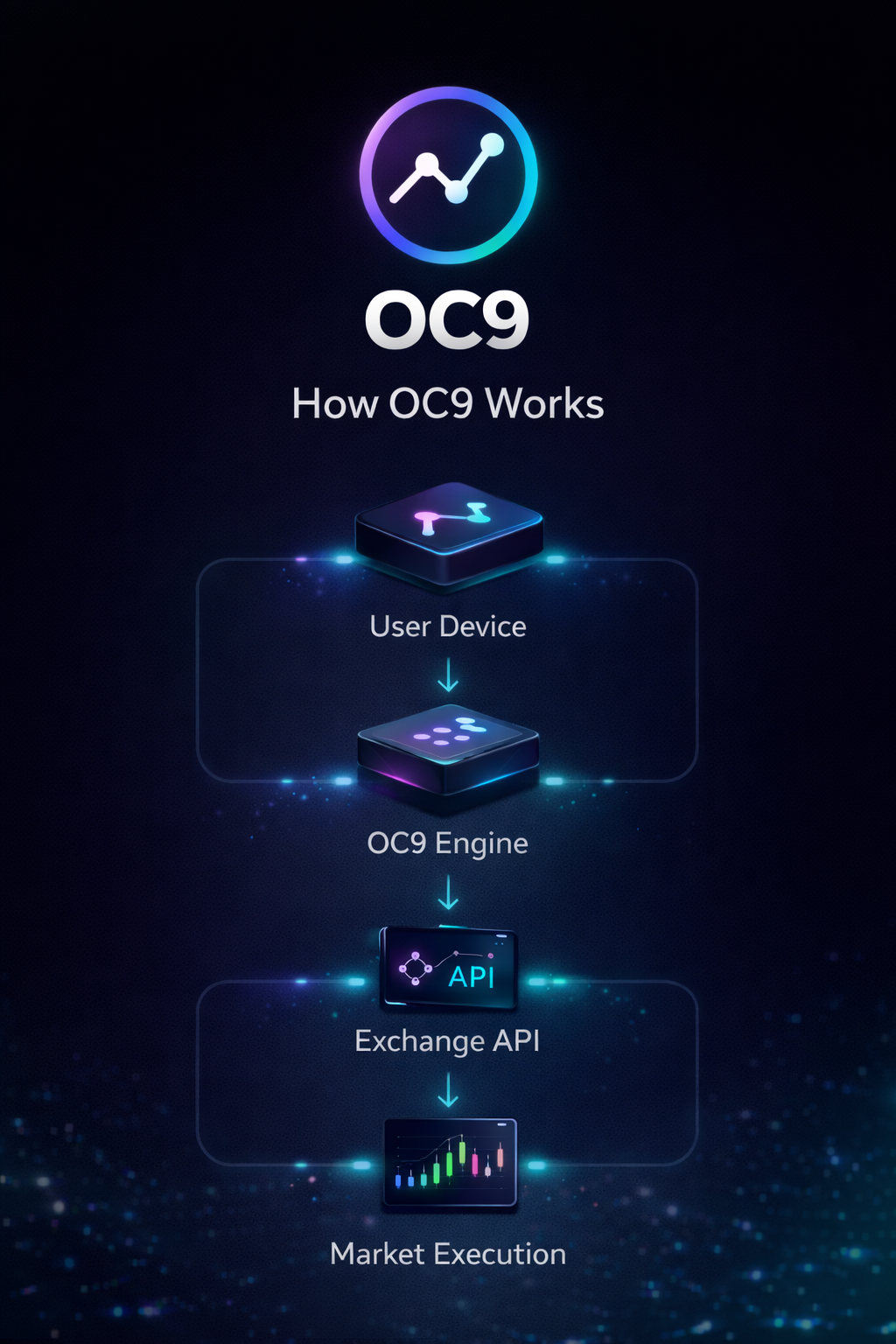
Designed to remove emotion and enforce disciplined execution, OC9 connects securely to your Kraken account using API-based trade execution.
Built for consistency, risk control, and long-term stability β not hype or signals.
Kraken account required to use OC9
Connect Your Kraken Account βOC9 uses secure API access. Withdrawals are never enabled.
OC9 uses secure API access. Withdrawals are never enabled.
β’ Multi-bot system executing across Kraken markets
β’ Fully automated trade execution via Kraken API
β’ Built-in risk controls and loss protection
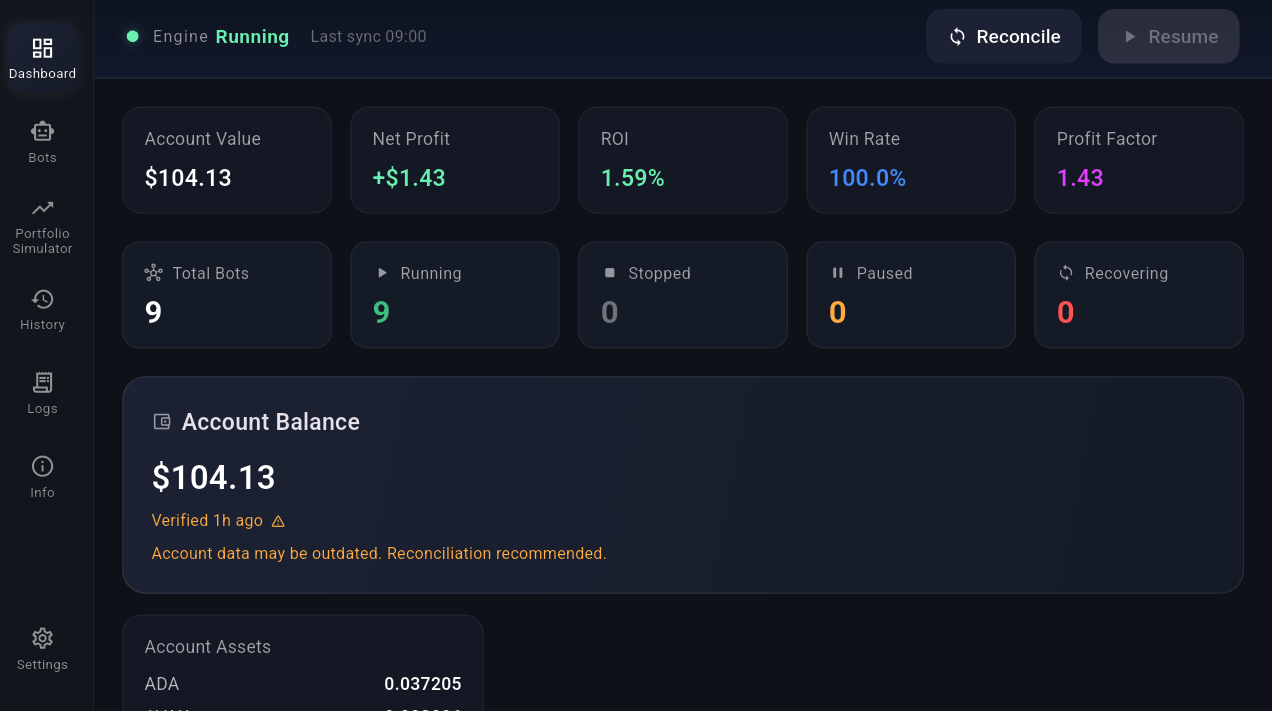
β’ Real performance tracking with live account data
OC9 does not hold or manage funds. All assets remain securely on your Kraken account at all times.
Step 1 β Start Small
β’ $10β$20 per bot
Step 2 β Choose Strategy
β’ Start with Neutral
Step 3 β Enable Bots
β’ Begin with 1β2 bots
Step 4 β Let It Run
β’ 3β5 days minimum
Step 5 β Review Behavior
β’ Use history and stats
Do not interrupt early β learning behavior is more important than early profit.
β’ Some days: no trades
β’ Some weeks: flat
β’ Drawdowns will occur
β’ Growth is not linear
Inactivity often means discipline β not failure.
A rules-based execution system that:
β’ Monitors markets continuously
β’ Evaluates strategy conditions
β’ Verifies risk limits
β’ Executes only when all conditions align
If conditions are unclear β it does nothing.
β’ Not predictive
β’ Not financial advice
β’ Not signals
β’ Not guaranteed profit
OC9 never overrides safety rules.
β’ Trades only when rules align
β’ Avoids unclear setups
β’ Prioritizes capital protection
β’ Values consistency over activity
No trade is often the correct decision.
Trending: stronger performance
Choppy: reduced consistency
Low volatility: fewer trades
High volatility: more signals, higher risk
OC9 reduces activity when conditions are unclear.
βStopping safely is better than continuing blindly.β
Built to prevent:
β’ Silent losses
β’ Duplicate trades
β’ System confusion
β’ Bad execution
You control:
β’ Capital
β’ Risk level
β’ Settings
β’ Expectations
β’ Protect capital
β’ Enforce discipline
β’ Reduce mistakes
β’ Operate consistently
Long-term stability > short-term gains
β’ Scaling too fast
β’ Changing settings constantly
β’ Expecting constant trades
β’ Judging too early
Best Practice:
Start small. Stay consistent. Adjust slowly.
OC9 operates using a distributed system of 9 independent trading bots.
β’ Each bot trades a single market
β’ Each bot operates independently
β’ No shared positions between bots
β’ No overlapping trades per bot
This structure is designed to reduce risk and increase stability:
β’ Capital is segmented across bots
β’ Losses are contained per bot
β’ No single trade can affect the entire system
β’ Prevents overexposure to one asset
Bots operate like independent traders:
β’ Some bots may be active
β’ Some may be idle
β’ Some may be in drawdown
This is normal and expected.
Neutral
β’ Lower activity
β’ More selective
Aggressive
β’ Higher activity
β’ More opportunity
Hyper Aggressive
β’ Maximum activity
β’ Higher risk exposure
Strategies control behavior β not guarantees.
Fixed Base
β’ Same trade size every time
β’ Most stable and predictable
Capped Compound
β’ Gradual growth with limits
β’ Balances growth and control
Full Compound
β’ Trade size scales with account
β’ Higher growth potential
β’ Higher drawdown risk
Trade modes affect capital β not strategy logic.
OC9 is being tested through structured phases:
β’ Weeks 1β2: Baseline (Neutral)
β’ Weeks 3β4: Increased Activity
β’ Weeks 5β6: High Activity / Stress Testing
β’ Weeks 7β8: Capped Compounding
β’ Weeks 9β10: Full Compounding
β’ Week 11: Added Capital Test
β’ Week 12: Withdrawal Test
Each phase evaluates performance under different market conditions.
Week 1 included a system reset mid-week to establish a clean baseline.
β’ Starting Capital: $100
β’ Active Trading: $90 ($10 buffer)
β’ Total Trades: 15
β’ Wins: 14
β’ Losses: 1
β’ Weekly Gain: +4.37%
The single loss occurred immediately after a system update and is part of ongoing testing and refinement.
OC9 testing is ongoing. Results, insights, and performance updates are shared through the live engine feed.
Follow the Live Engine βNo hype. No signals. Just real execution.
OC9 is designed around one principle:
βStopping safely is better than continuing blindly.β
If conditions are unclear, unsafe, or inconsistent β OC9 does nothing.
β’ Funds remain on your exchange
β’ No withdrawal permissions
β’ One position per bot
β’ Capital segmentation across bots
β’ Restart-safe system behavior
OC9 enforces strict, automatic limits:
Max Consecutive Losses β 3
Bot pauses after 3 losses
Max Drawdown β 15%
Trading stops if capital drops too far
Max Daily Loss β 5%
Bot pauses for the rest of the day
These limits scale automatically with your capital.
OC9 uses multiple independent safety layers:
β’ Capital exposure control
β’ Daily loss protection
β’ Drawdown protection
β’ Consecutive loss protection
β’ Single-position safety
β’ Exchange state verification
β’ Capital availability checks
β’ Minimum profit validation
β’ Incident monitoring
Multiple layers would need to fail simultaneously for a catastrophic loss.
OC9 is designed to stop β not guess.
β’ API issues β trading pauses
β’ Internet loss β no forced trades
β’ App restart β system reconciles state
β’ Data mismatch β trading blocked
Paused β safety rule triggered
Recovering β reconnecting and checking state
Reconciling β syncing with exchange
Halted β issue requires review
Yes β trading always involves risk.
OC9 is designed to reduce risk through automation, structure, and safeguards β but it cannot eliminate market risk entirely.
Only trade capital you can afford to lose.
During drawdowns:
β’ Confidence may drop
β’ It may feel like the system stopped working
β’ There is a temptation to change settings
Most mistakes happen during drawdowns.
Best approach:
β’ Stay consistent
β’ Review data, not emotions
β’ Avoid reactive changes
OC9 prioritizes survival first β growth second.
Account: $370+
Bots: 9
Per Bot: $40+
Reserve: $10+
Designed to produce meaningful results while maintaining controlled risk.
Smaller setups are possible, but may produce limited returns.
OC9 is designed to run 24/7 on a dedicated Android tablet.
β’ Android only (not supported on iOS)
β’ 10"+ screen required
β’ Not designed for phones
β’ Must remain running continuously for proper operation
β’ 4GB RAM
β’ 32GB Storage
β’ Android OS
β’ 10"+ screen
β’ 6GB+ RAM
β’ 64GB+ Storage
β’ Octa-core processor
β’ 10"β11" display
11β Display β’ Reliable Performance β’ Best overall experience
View on Amazon βAffiliate links may earn a commission at no extra cost to you.
Step 1 β Turn On Your Device
Press the power button and unlock your screen.
Step 2 β Connect to Wi-Fi
Open Settings β Wi-Fi β Select your network β Enter password β Wait until connected.
Step 3 β Open Your OC9 Download Link
Open your email or website and tap the OC9 download button.
Step 4 β Wait for Download
Wait until the file fully downloads (.apk file is normal).
Step 5 β Tap the File
Open Downloads or Files and tap the OC9 file.
Step 6 β Allow Installation
If blocked, tap Settings β Turn ON "Allow from this source" β Go back.
Step 7 β Install
Tap Install β Wait β Tap Open.
Step 8 β Open Anytime
Find OC9 on your home screen or app list.
If You See a Warning:
This is normal for apps not installed from the Play Store.
If downloaded from the official OC9 website, continue safely.
OC9 installs as an Android app (.APK).
Built for tablets and designed to run 24/7.
Download OC9 (Coming Soon)User manual and download access will be provided at launch.
OC9 connects securely to your exchange using an API key.
Start here:
Go to Kraken β
OC9 does not hold or manage funds.
All funds remain securely on your exchange account.
OC9 only sends trade execution signals via API.
Step 1a β Prepare Your Account
β’ Create or log into your Kraken account
β’ Enable 2-Factor Authentication (2FA)
β’ Use an authenticator app (Google Authenticator recommended)
β’ Never share your login details
Step 1b β Open Settings
From the main page, go to the top right profile icon and select Settings.
Step 1c β Connections & API
Inside Settings, select Connections & API.
Step 1d β Create API Key
Click Create API Key.
Enable ONLY:
β’ Query funds
β’ Query open orders & trades
β’ Query closed orders & trades
β’ Create & modify orders
β’ Cancel & close orders
NEVER enable withdrawals.
OC9 cannot move your funds β it only trades using approved permissions.
Kraken will display your API Key and Secret ONE TIME ONLY.
Before closing the window:
β’ Copy both values
β’ Store them securely (password manager recommended)
β’ Do NOT share them with anyone
If you lose the secret, it cannot be recovered β you must create a new key.
Before OC9 can trade, your Kraken account must be funded.
β’ Deposit USD (or your local currency)
β’ Or deposit cryptocurrency directly
β’ Ensure available balance can cover your bot allocations
If your account is not funded:
β’ Trades will fail
β’ Bots will not execute
β’ No positions will be opened
Important β How OC9 Works
β’ OC9 does NOT hold your funds
β’ OC9 does NOT access your bank account
β’ OC9 does NOT move or withdraw funds
OC9 only sends buy/sell commands to your exchange using your API key.
Your funds remain fully inside your Kraken account at all times.
OC9 may earn a commission from exchange trading fees at no additional cost to you.
Open OC9 and go to:
Settings β Exchange Configuration
β’ Paste your API Key
β’ Paste your API Secret
β’ Tap Save
Then scroll down in Settings to the email notifications section:
β’ Enter your notification email address
β’ Turn Critical Incident Alerts on or off
β’ Turn Daily Summary on or off
β’ Turn Weekly Summary on or off
Trading remains disabled until OC9 completes safety checks and verification.
Navigate to the Bots section (left sidebar).
For each bot (this step matters:):
β’ Choose your strategy
β’ Select trade mode
β’ Enter base capital ($ per bot)
β’ Add more capital later using + Add Capital
Once your bots are configured:
β’ Tap Resume (top right)
β’ Then tap Start per bot OR Start All Bots
You do NOT need to run all 9 bots.
Check the Info section to understand which coins each bot trades.
OC9 performs best when running continuously:
β’ Keep the app open
β’ Avoid force closing
β’ Maintain a stable internet connection
β’ Dedicated tablet recommended for 24/7 operation
If the app stops or connection is lost:
β’ Ensure all bots are stopped
β’ Tap Reconcile
β’ Tap Resume
β’ Restart bots individually or use Start All Bots
OC9 is designed to safely recover β never rush restarts.
β’ Use API keys only β never share passwords
β’ Disable withdrawals on API keys (critical)
β’ Keep API keys private and secure
β’ Enable 2-Factor Authentication (2FA) on your exchange
OC9 does not hold your funds and cannot withdraw or move money. Your capital always remains inside your exchange account.
OC9 is designed to run consistently over time β not require constant interaction.
The goal is disciplined execution, not constant activity.
Let the system operate. Avoid over-adjusting. Consistency produces results.
Full system documentation is available inside the OC9 app.
Includes:
β’ Start Here Guide
β’ Trading System Overview
β’ Risk & Safety Systems
β’ API Setup Guide
β’ FAQ & Troubleshooting
β’ Strategy & Performance Insights
A full downloadable user manual will be available at launch.