
Google Sheets Auto Logging
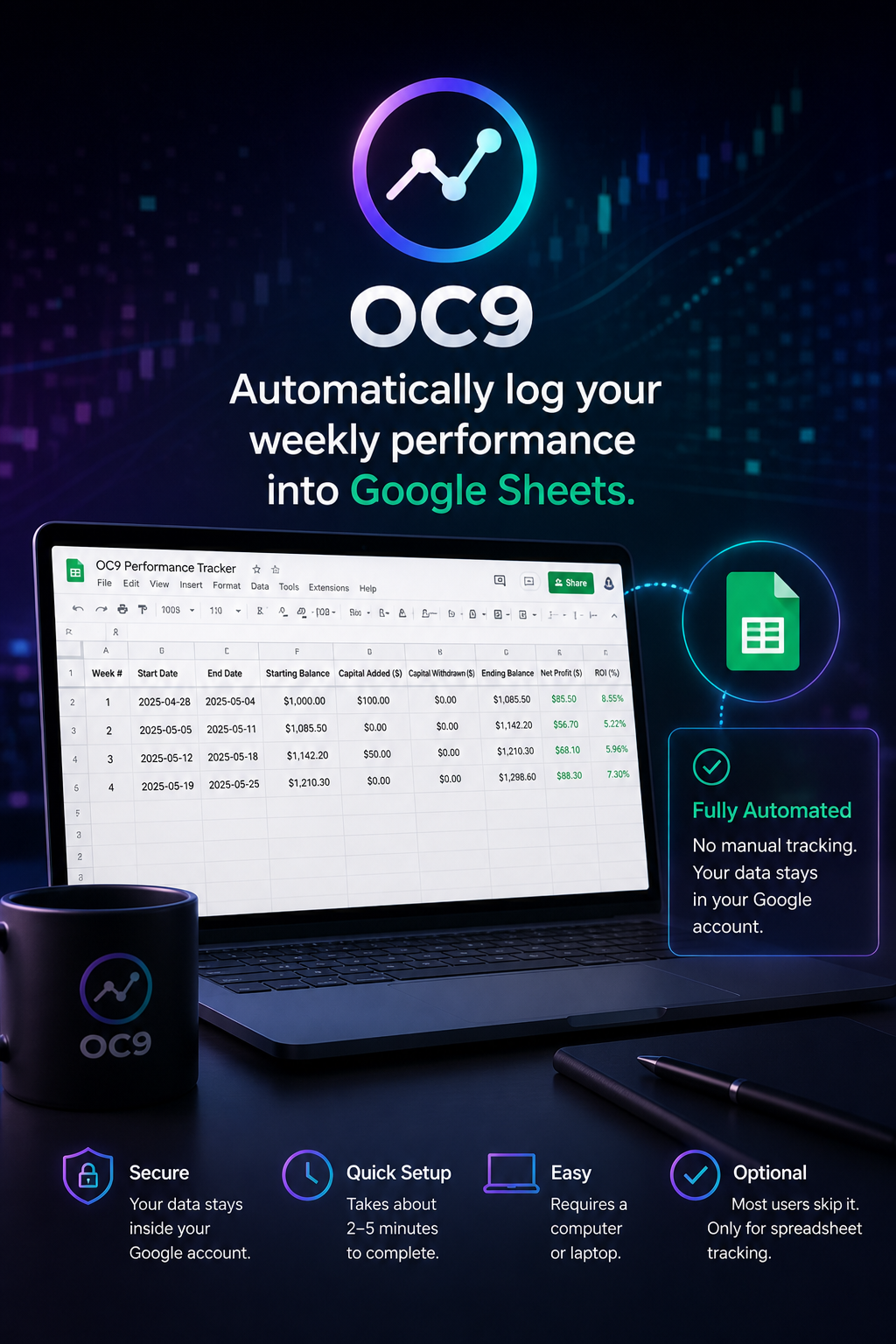
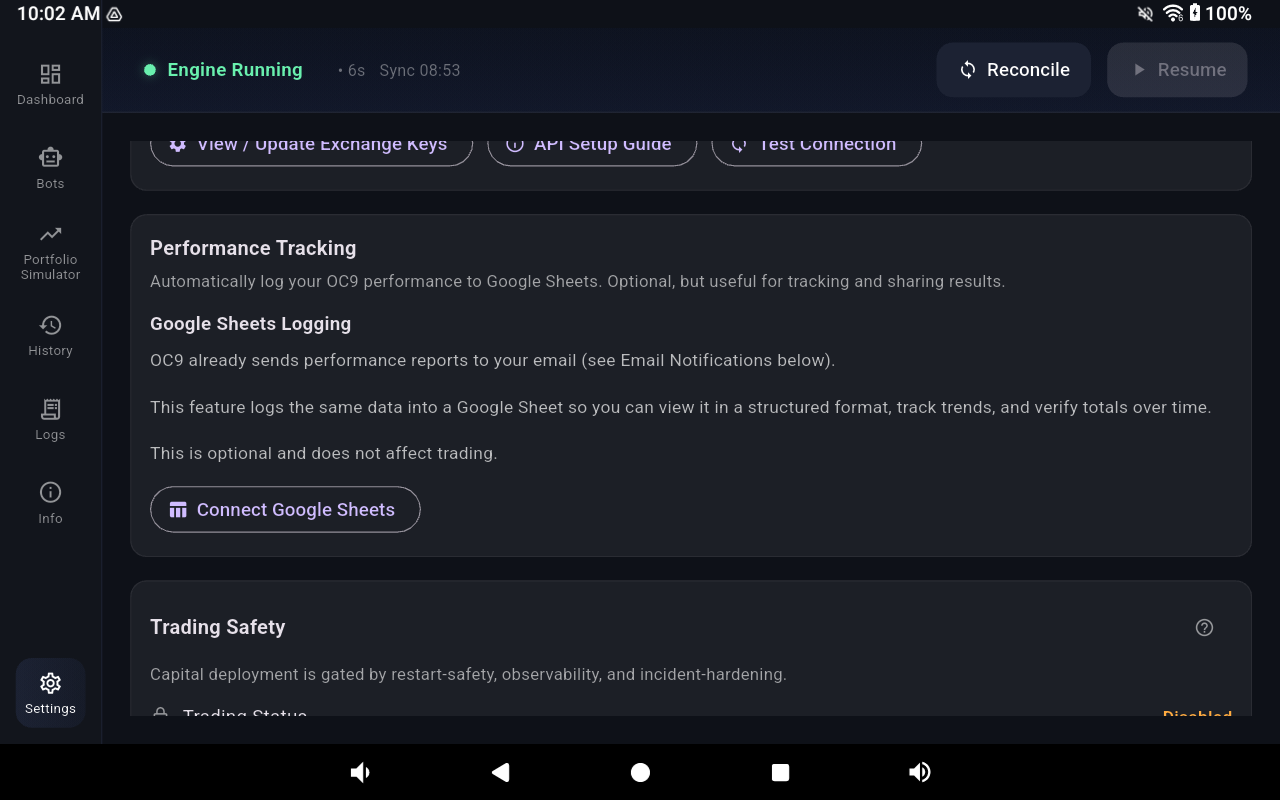
Optional advanced reporting integration for automated weekly OC9 performance tracking using Google Sheets.
How It Works
OC9 can automatically log weekly performance data into your own private Google Sheet using a lightweight Google Apps Script connection.
OC9 → Google Apps Script → Google Sheets
What You Need
✔ Google account
✔ Computer or laptop
✔ 2–5 minutes setup time
✔ OC9 installed
Important Notes
✔ Completely optional
✔ No coding required
✔ Your data stays in your account
✔ Does not affect OC9 execution
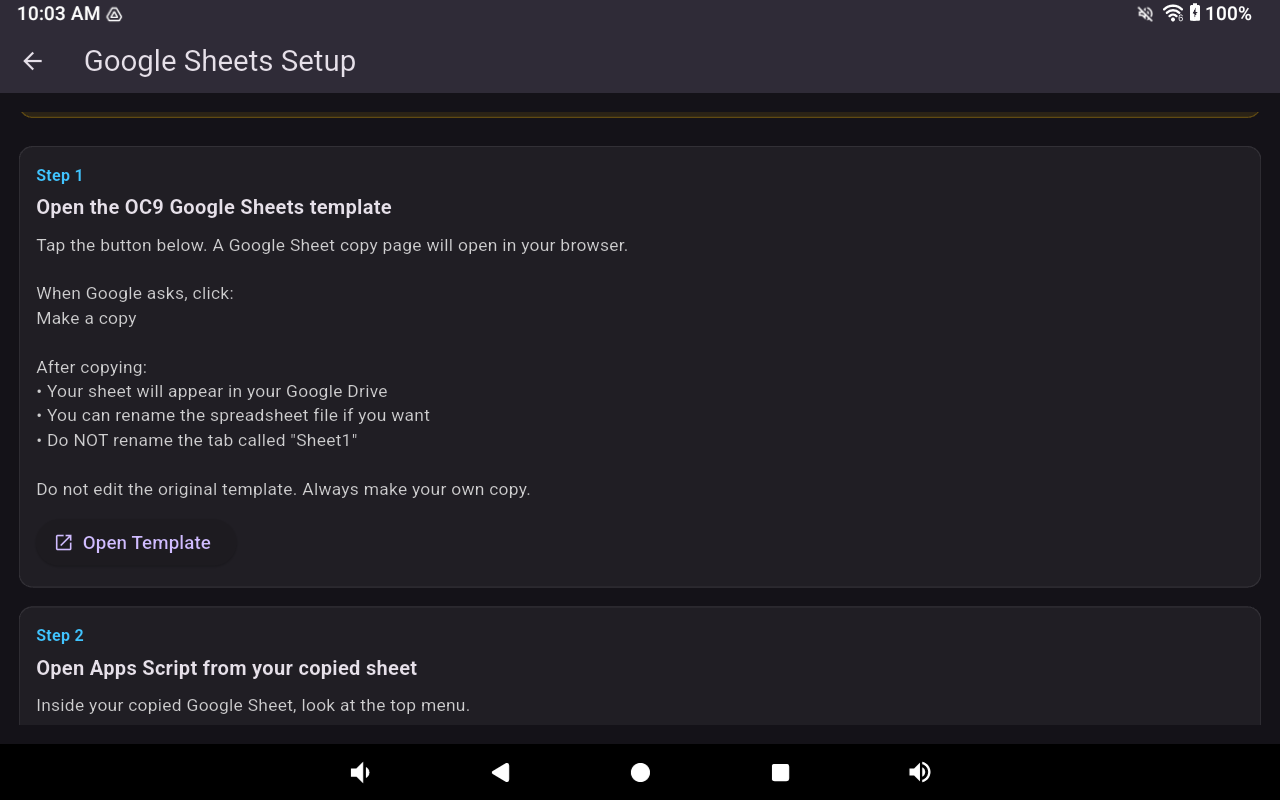
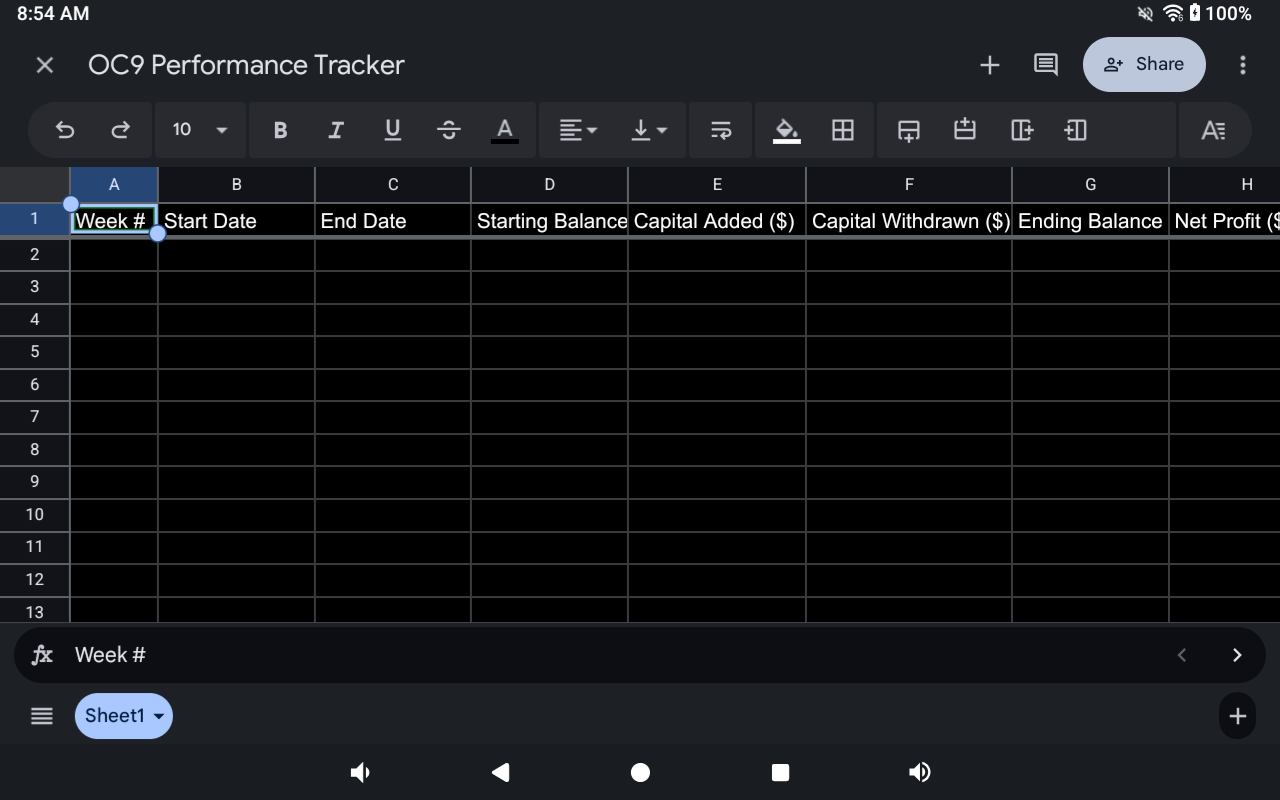
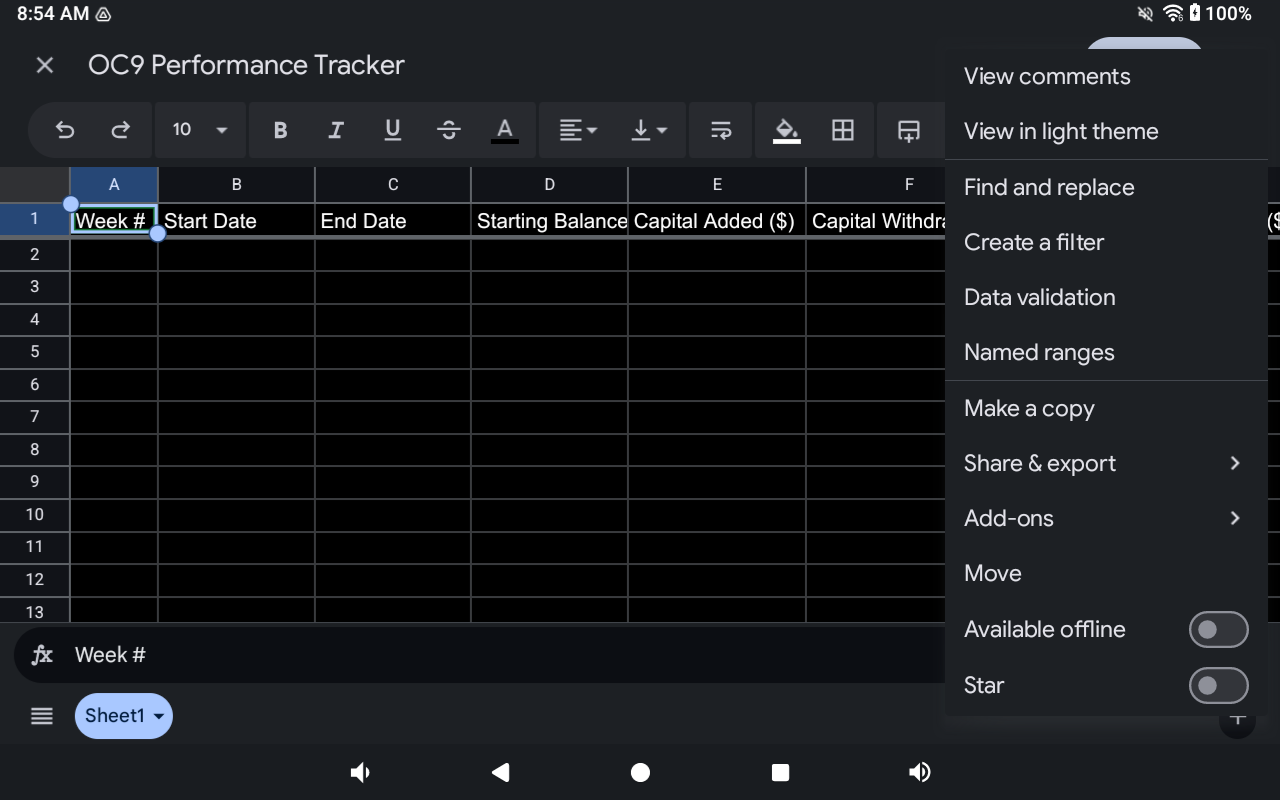
Step 1 — Create Your Sheet Copy
Open the OC9 template link and create your own private copy.
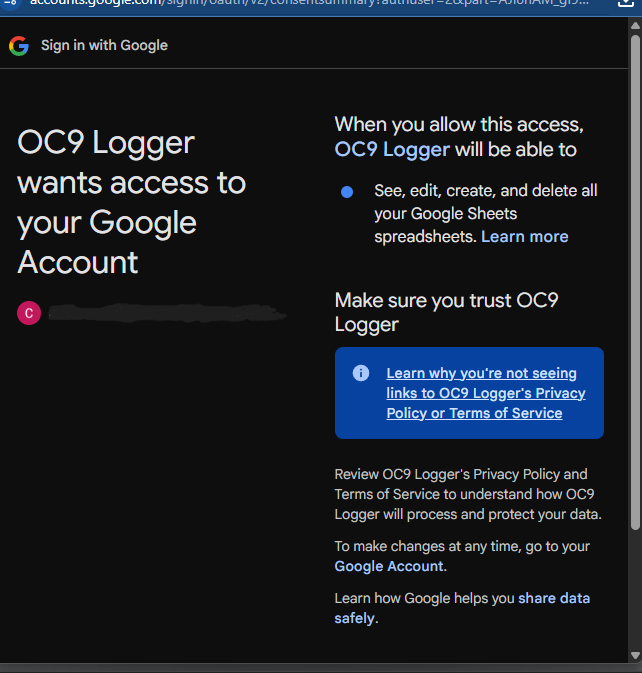
Google may display a warning that the Apps Script will also be copied. This is expected and required for automated spreadsheet logging to function properly.
Inside Google Sheets
STEP 1
Click “Make a Copy”
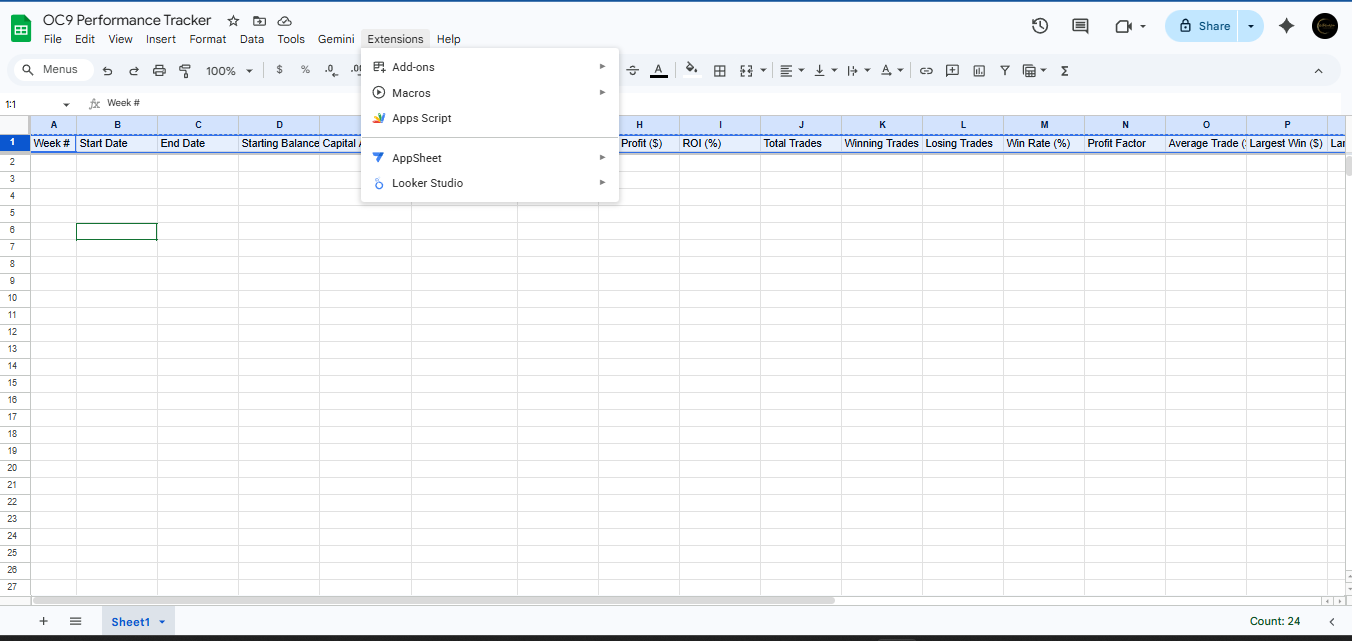
STEP 2
Open:
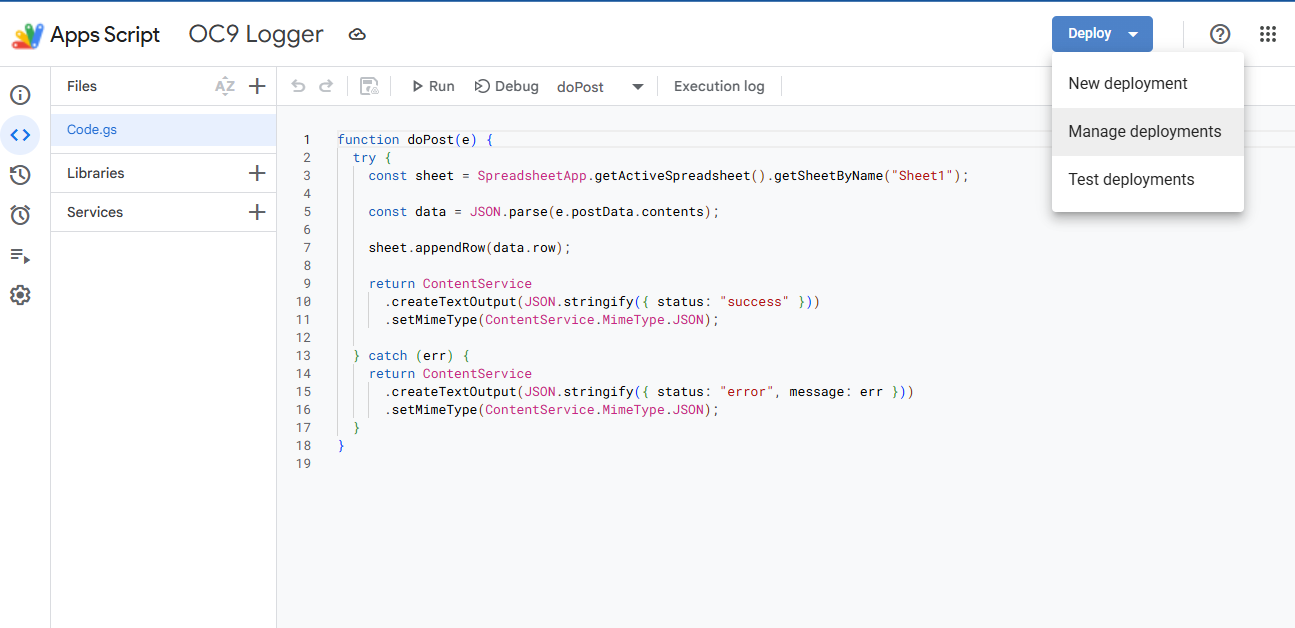
Extensions → Apps Script
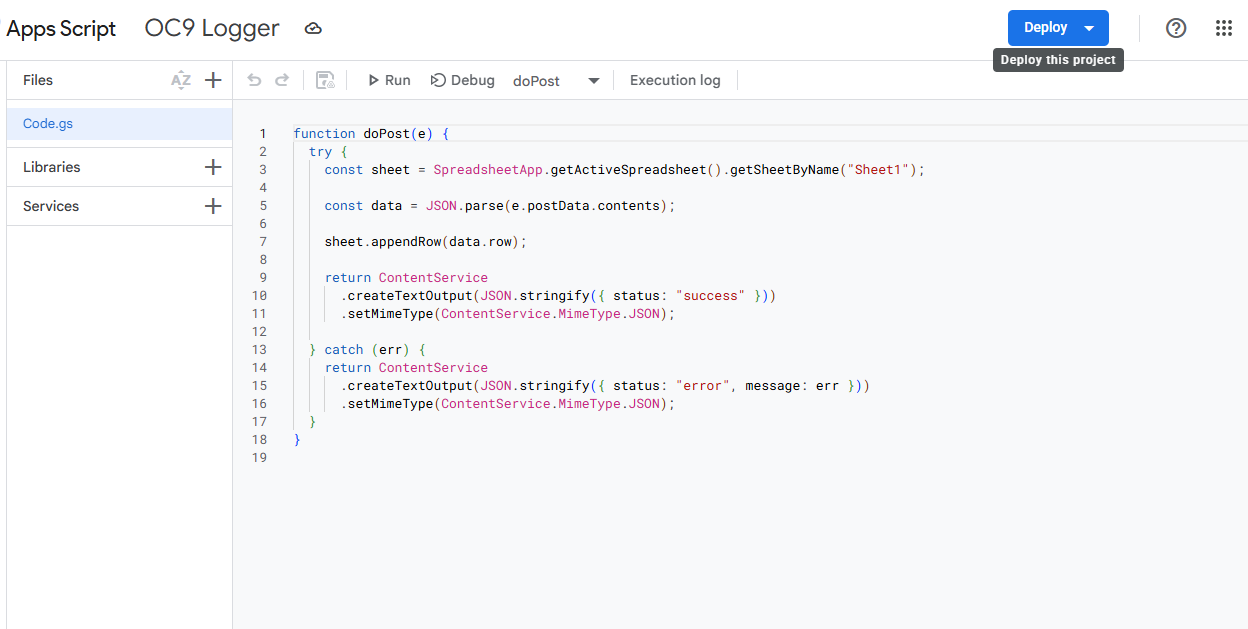
Apps Script Setup
STEP 3
Click:
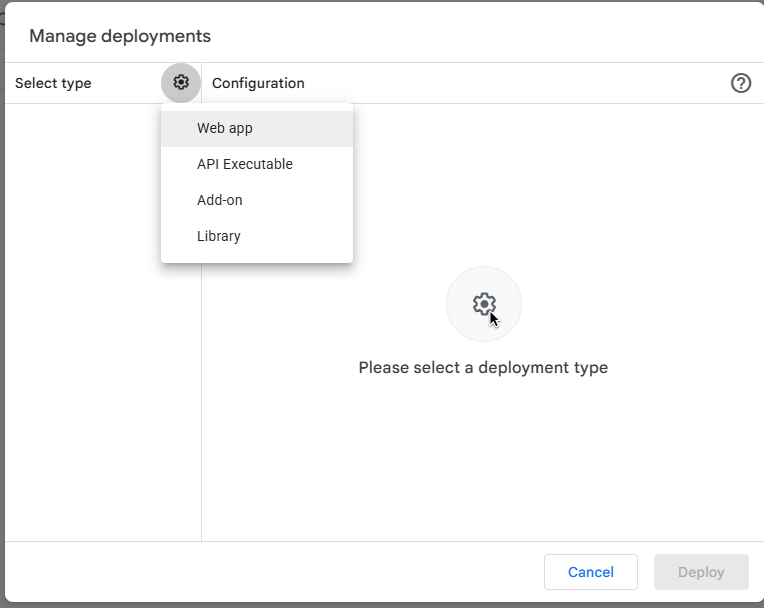
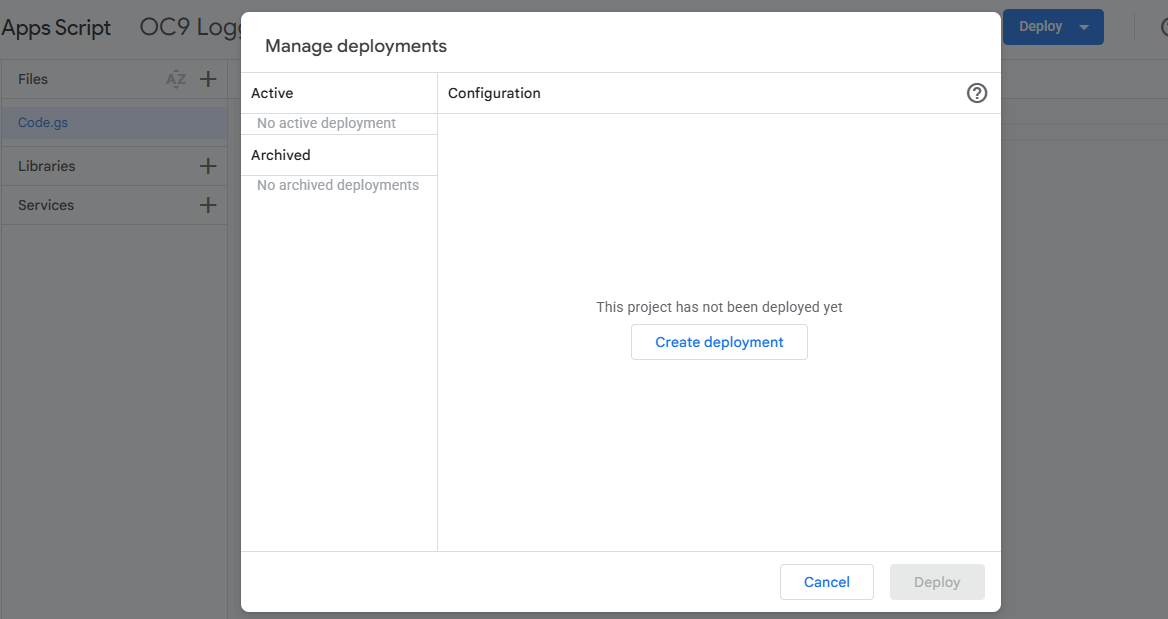
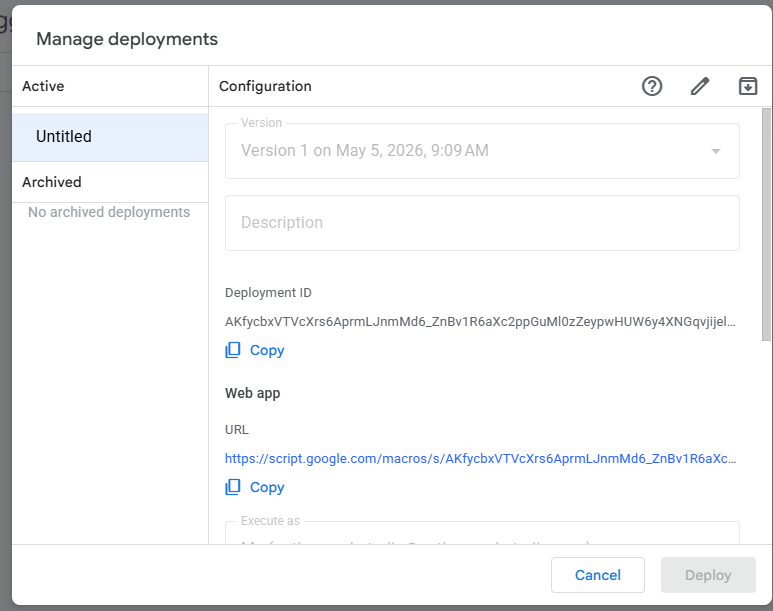
Deploy → Manage Deployments
STEP 4
Click the pencil edit icon
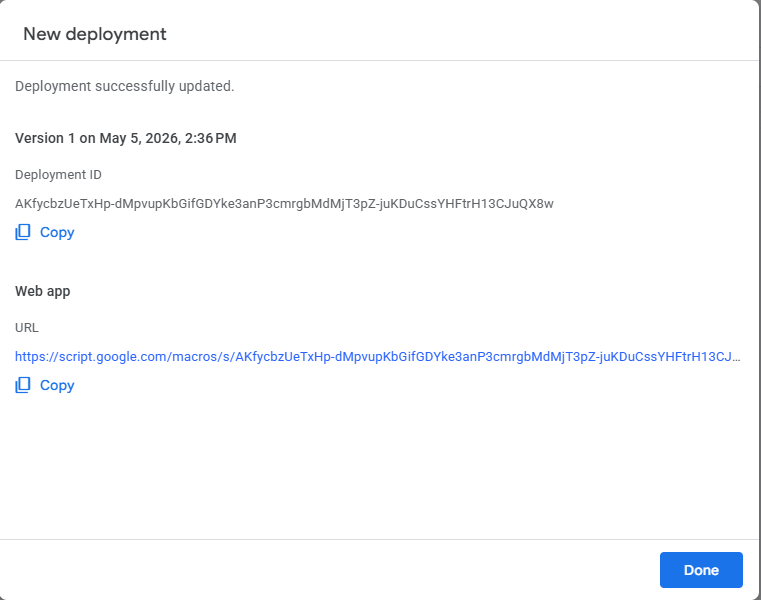
STEP 5
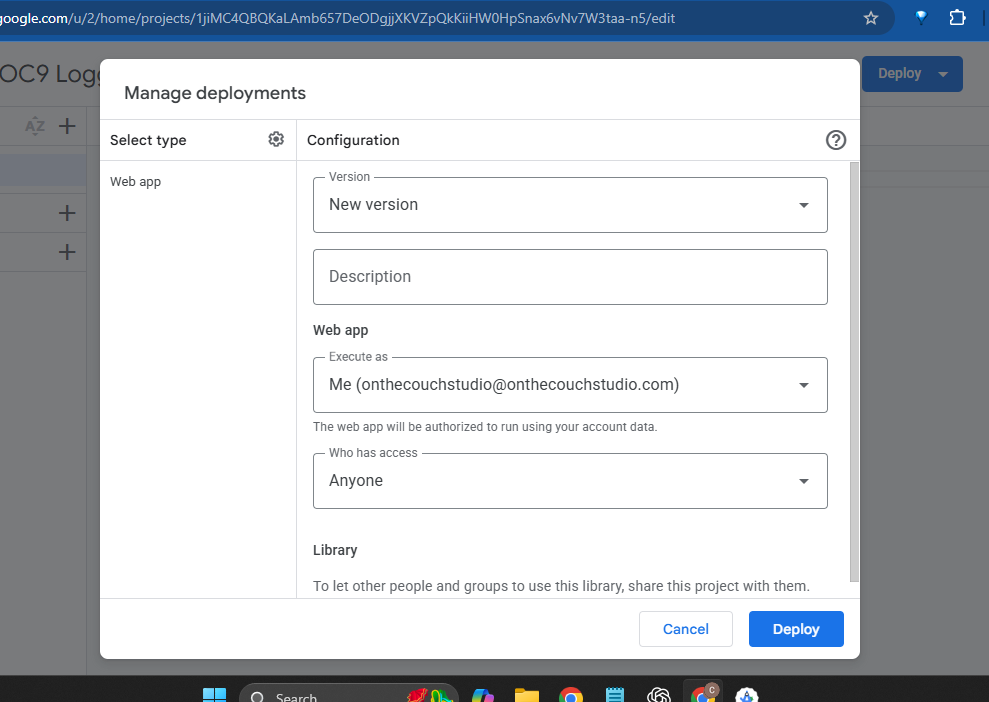
Click Deploy
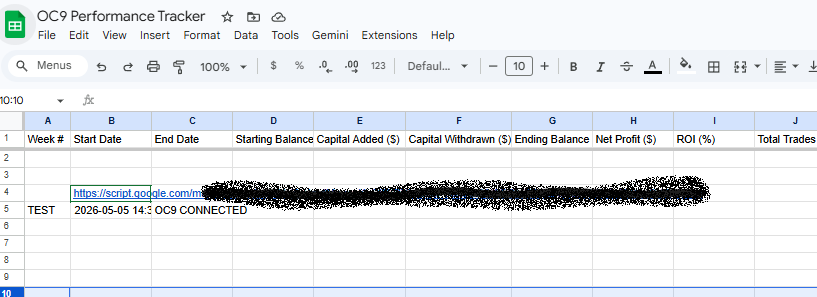
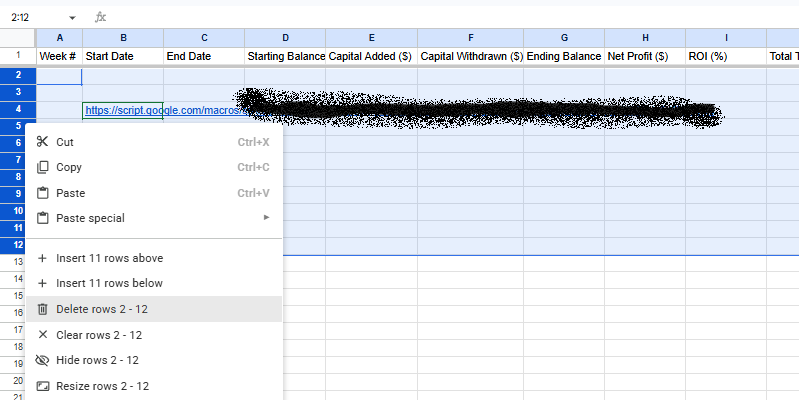
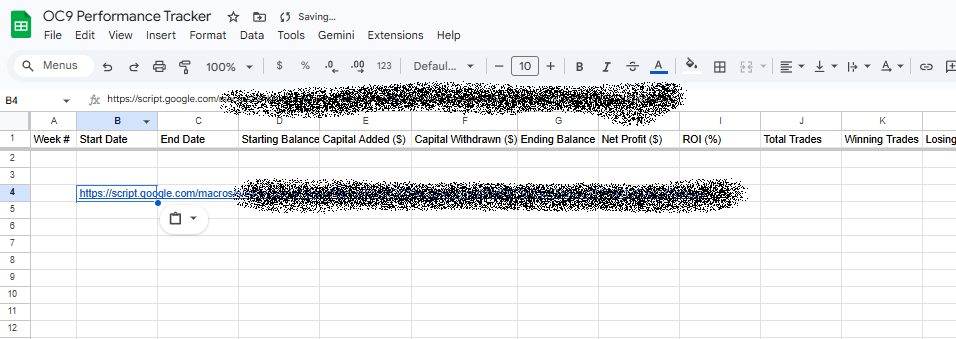
Visual Walkthrough
Follow the screenshots step-by-step. Click any image to expand it larger. Use the arrow controls or keyboard arrows to move through the guide.
Step 2 — Connect To OC9
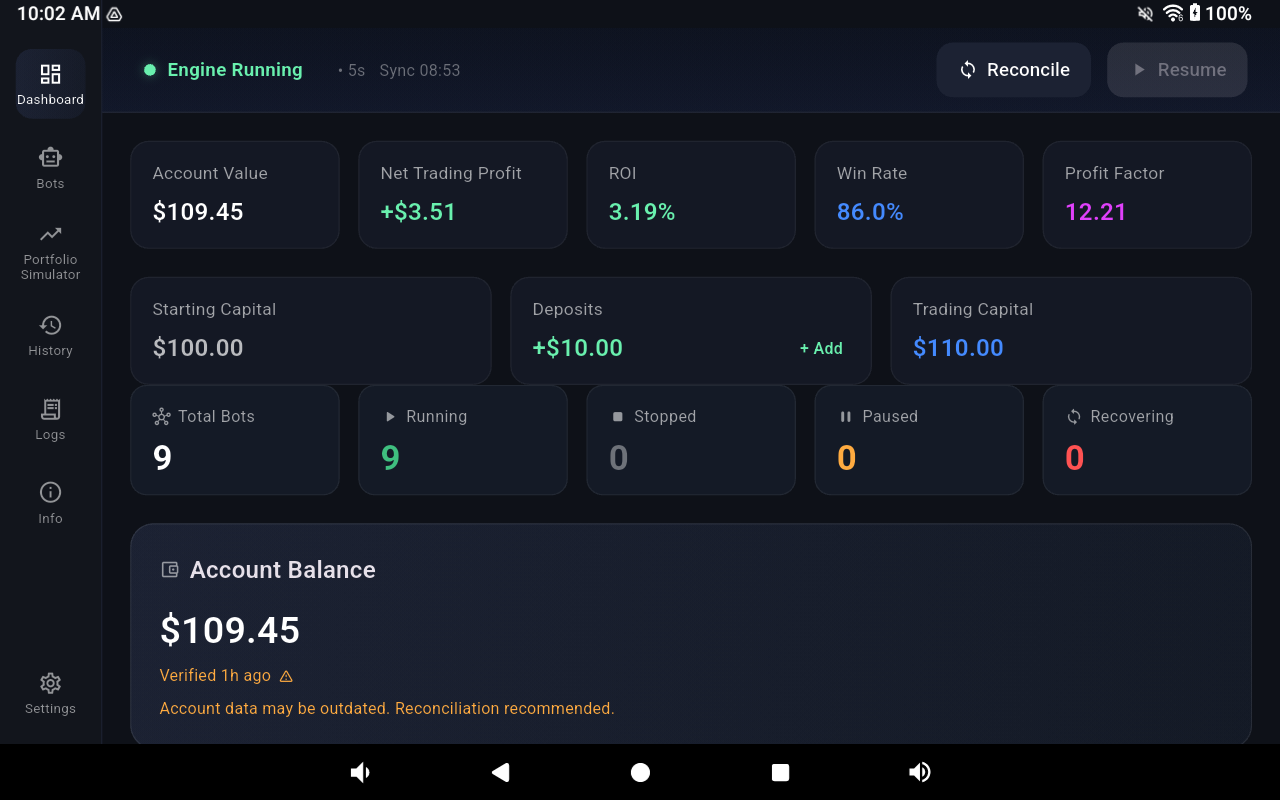
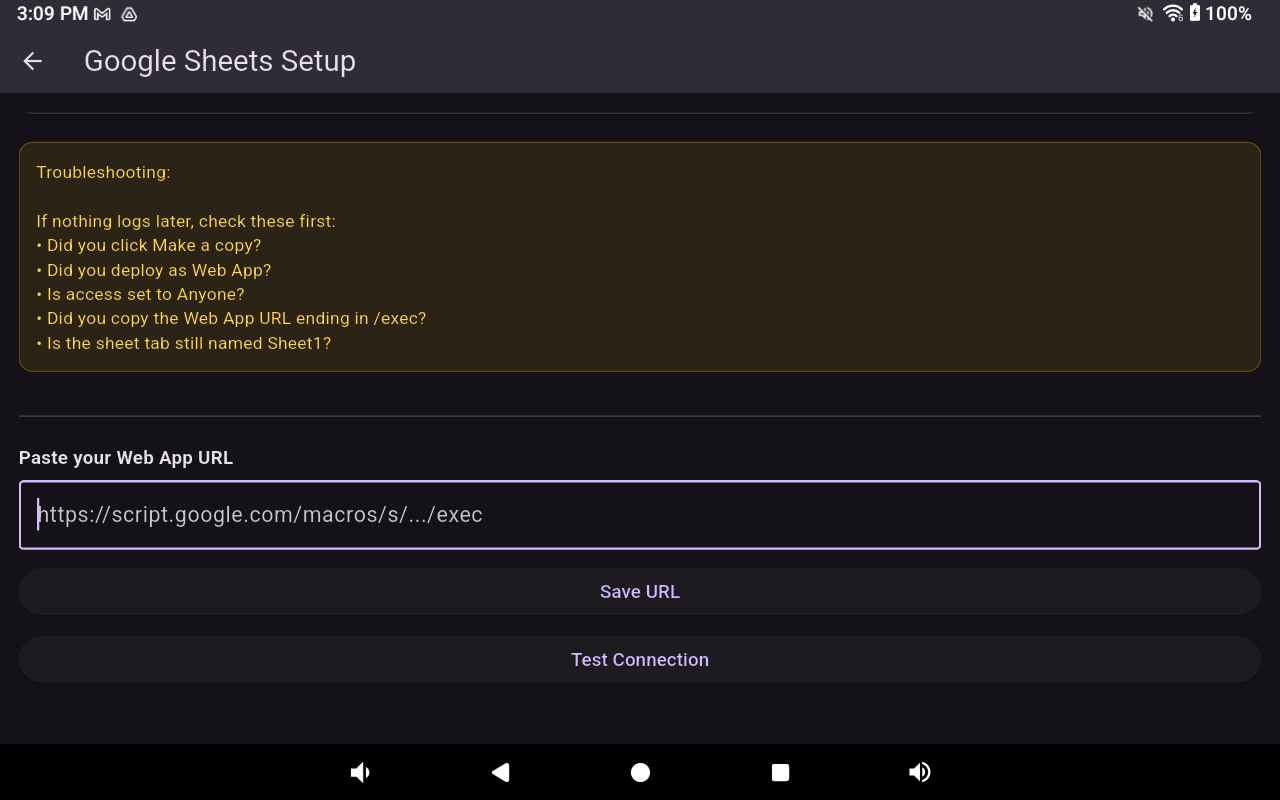
After deployment, Google will generate a Web App URL. Copy that URL and paste it into OC9.
Inside OC9:
Settings → Google Sheets Logging
• Paste Web App URL
• Enable Logging
• Save Settings
Safety & Privacy
Google Sheets logging is completely optional and does not affect OC9 trading behavior. Your spreadsheet data remains inside your own Google account.
OC9 Does NOT
✖ Access your Google password
✖ Read personal Google Drive files
✖ Control your Google account
✖ Affect exchange execution behavior
Purpose
✔ Weekly reporting
✔ Long-term tracking
✔ ROI monitoring
✔ Transparency observation
Future Expansion
Future OC9 reporting systems may include: multi-account dashboards, advanced analytics, drawdown tracking, public sharing tools, and expanded automated reporting.
Google Sheets integration is an optional reporting feature. Users remain responsible for securing their Google account, spreadsheet access, and exchange credentials. OC9 does not guarantee reporting availability or performance.