Recommended Tablets
OC9 is currently optimized primarily for Android tablets
running in landscape mode during long-term operation.
iPhones, iPads, and iOS devices are not currently supported.
Minimum Requirements
• 4GB RAM
• 32GB Storage
• Android OS
• 10"+ screen
• APK installation support
• Landscape mode support
Recommended Specs
• 6GB+ RAM
• 64GB+ Storage
• Octa-core processor
• 10"–11" display
• Android 12+ preferred
• Samsung tablets recommended
Budget Entry Setup
Affordable setup for learning OC9 and smaller founder-stage accounts.
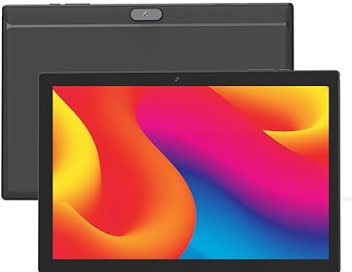
Android 15 Budget Tablet
• Approx. $50–$60
• 8GB RAM
• 10.1" Display
• Android 15
• Good entry-level testing device
Best for: Learning OC9, testing layouts, and smaller dedicated setups.
View on AmazonMid-Range Tablet Option
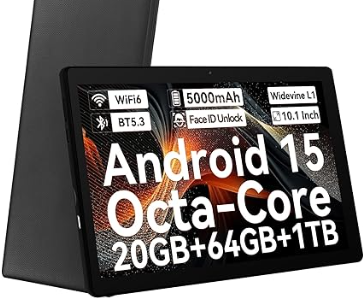
Android Octa-Core Tablet
• Approx. $75–$90
• 64GB Storage
• Octa-Core Processor
• 120Hz Display
• 10.1" IPS Screen
Best for: Users wanting smoother long-term operation and cleaner multitasking.
View on AmazonPerformance Bundle Setup
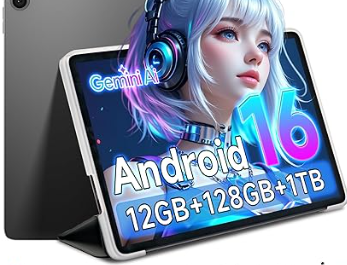
TECLAST Android 16 Bundle
• Approx. $100–$120
• 12GB RAM
• 128GB Storage
• Includes keyboard and accessories
• Android 16
Best for: Power users wanting a more complete dedicated OC9 workstation setup.
View on AmazonRecommended Stable Setup
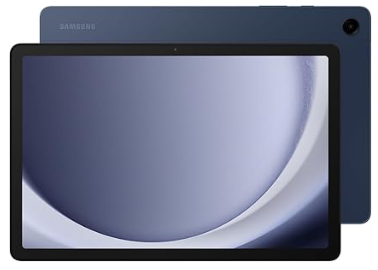
Samsung Galaxy Tab A9
• Approx. $175–$200
• Samsung Android environment
• Reliable long-term operation
• Clean landscape dashboard layout
• Stable battery management behavior
Best for: Dedicated OC9 setups, founder users, and long-running operational stability.
View on AmazonHow To Check If Your Tablet Will Work
STEP 1 — Android Version
Open: Settings → About Tablet → Software InformationMinimum: ✅ Android 10+
Recommended: ✅ Android 12+
STEP 2 — RAM Check
Open: Settings → Battery & Device Care → MemoryMinimum: ✅ 4GB RAM
Recommended: ✅ 6GB+ RAM
STEP 3 — Required Features
Your tablet should support:✅ APK installation
✅ Background activity
✅ Battery optimization control
✅ Landscape orientation
Recommended Devices
✅ Samsung Android tablets
✅ Android 10+ devices
✅ 10"–11" tablets
✅ Dedicated OC9 devices
✅ Landscape tablet setups
Not Recommended
❌ iPhones
❌ iPads / iOS devices
❌ Small phones
❌ Amazon Fire OS tablets
❌ Shared multitasking devices
Users are not required to purchase a recommended tablet. However, OC9 has been optimized and tested primarily around Android tablet configurations designed for long-running operation. Using unsupported or heavily customized Android devices may result in background execution interruptions, battery management issues, or display inconsistencies.
OC9 is designed as a long-running automation environment rather than a standard mobile app experience.
Affiliate links may earn a commission at no additional cost to you.