This existing referral link may provide signup benefits depending on Kraken promotions. OC9 may receive compensation through exchange partnerships at no additional cost to users.
01
Kraken account
Create or sign in to Kraken.
Open Kraken using the signup link above, or sign in to your existing account. Complete any account or identity verification Kraken requires before continuing.
What you should seeYour Kraken account dashboard with access to account settings.
02
Account security
Enable two-factor authentication.
Secure the Kraken account with 2FA before creating an API key. Follow Kraken’s current security prompts and keep your login credentials private.
OC9 never needs or asks for your Kraken password.
03
Navigation
Open Kraken Settings.
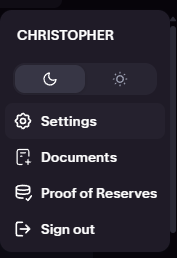
Open the profile control in Kraken and select Settings.
What you should locateThe Settings option from the account/profile menu.
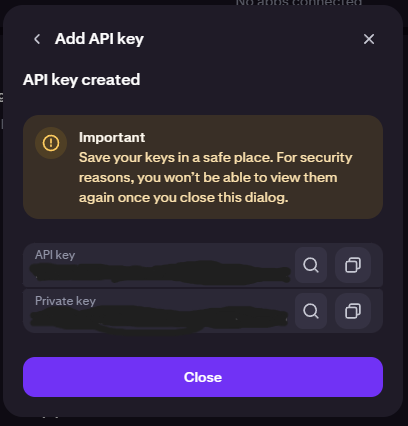
Kraken displays an API Key and a Private Key / API Secret. Securely copy both before leaving this screen.
KrakenAPI Key→OC9Kraken API Key
KrakenPrivate Key / Secret→OC9Kraken API Secret
If the Private Key/Secret is lost and Kraken will not display it again, create a new restricted API key.
Never share these credentials
Do not email them, send them to OnTheCouchStudio, upload them, or share them with support. This website never collects API credentials.
Steps 09–11
Return to OC9 immediately.
You now have the two values OC9 needs.
Return to OC9.
Continue to Exchange API Setup.
Paste the Kraken API Key into Kraken API Key.
Paste the Kraken Private Key into Kraken API Secret.
Save the configuration.
Allow OC9 to verify the connection.
Connection completeContinue only after OC9 accepts the credentials and completes its verification checks.
Setup help
If something does not work.
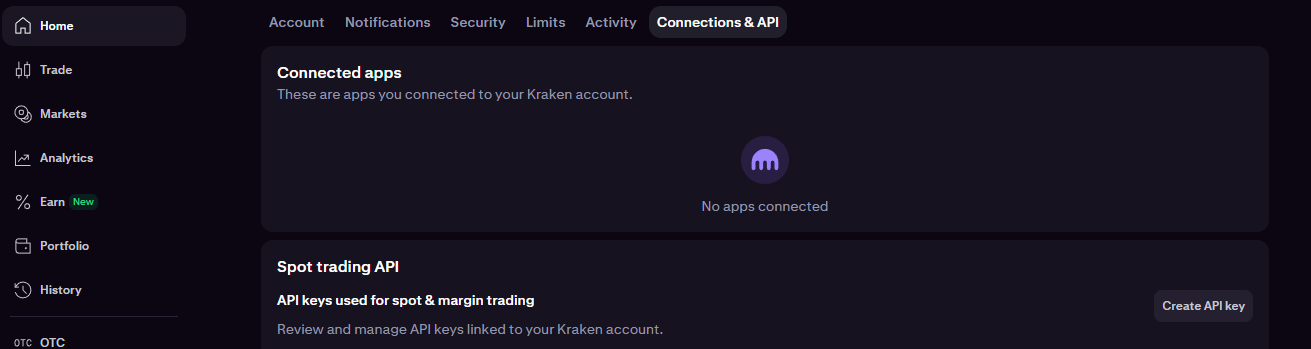
Cannot find Connections & API
Return to the Kraken account/profile menu, open Settings, and look for Connections & API. Kraken may update its interface, so use its settings navigation rather than a saved screen position.
API key or Private Key was lost
Delete or revoke the incomplete key and create a new restricted API key. Kraken may not display the Private Key again.
Wrong permissions were selected
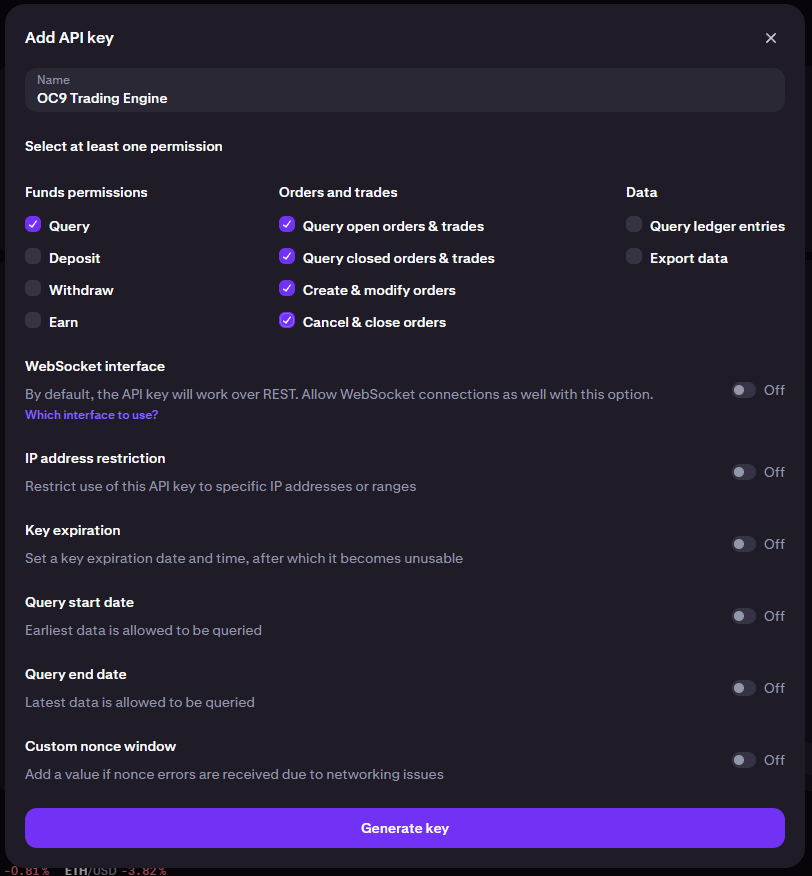
Compare the key against the five-item checklist above. If access is broader or different, revoke it and create a correctly restricted key.
Withdraw permission was enabled
Do not use that key. Revoke or delete it in Kraken and create a new key with withdrawal access disabled.
OC9 rejects the credentials
Confirm both complete values were copied into the matching OC9 fields, remove accidental leading or trailing whitespace, and verify the required permissions.
Kraken account is not ready
Complete any account, identity, or security requirements Kraken displays before creating the API connection.
OC9 is software for automated trade execution and does not custody funds. Cryptocurrency trading involves substantial risk, including possible loss of capital. No profit is guaranteed.